Library Borrower
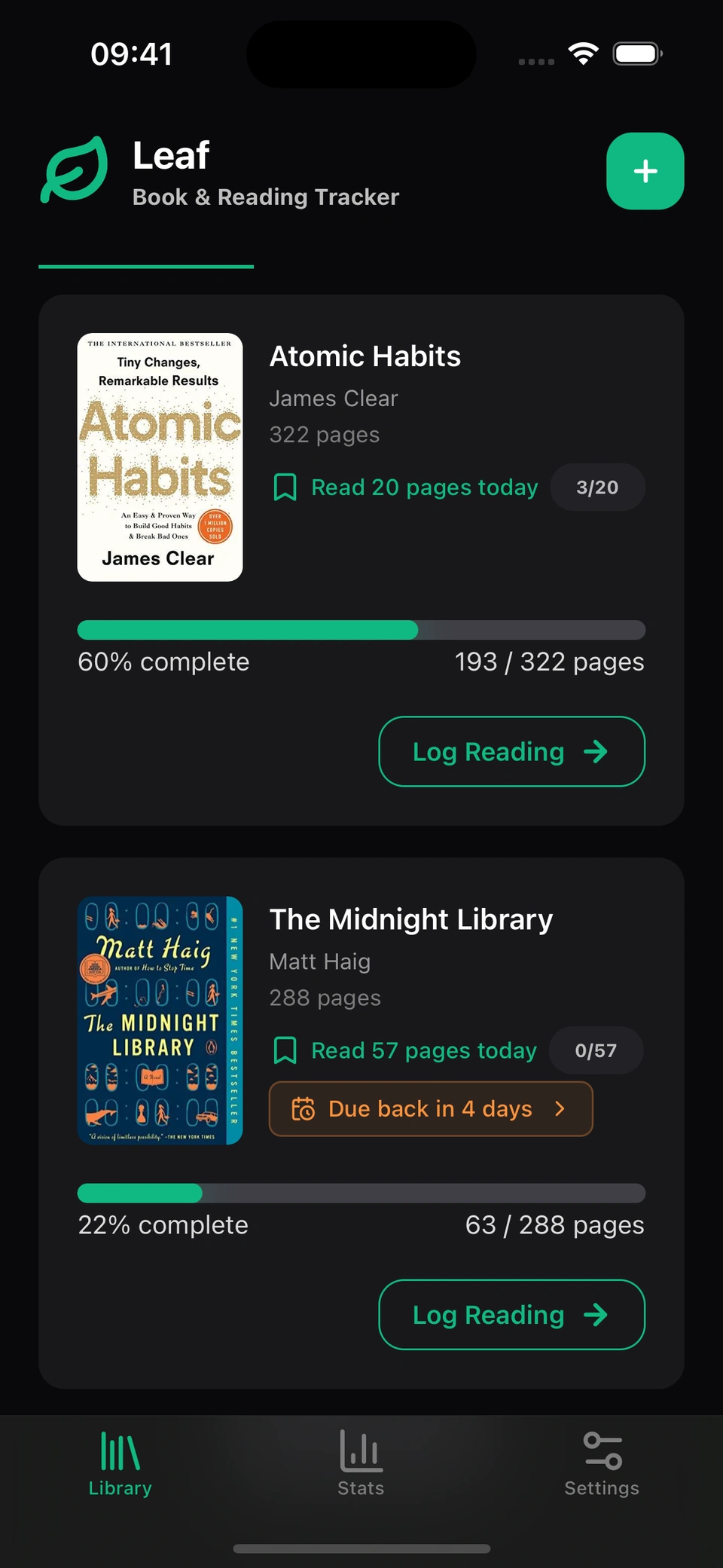
The book is due on the 15th. Leaf keeps your pace.
Add the book, set the date, and Leaf tells you how many pages to read each day. No mental math. No last-night cramming. Just the book, finished on time.

How the pace works
The return date does the math.
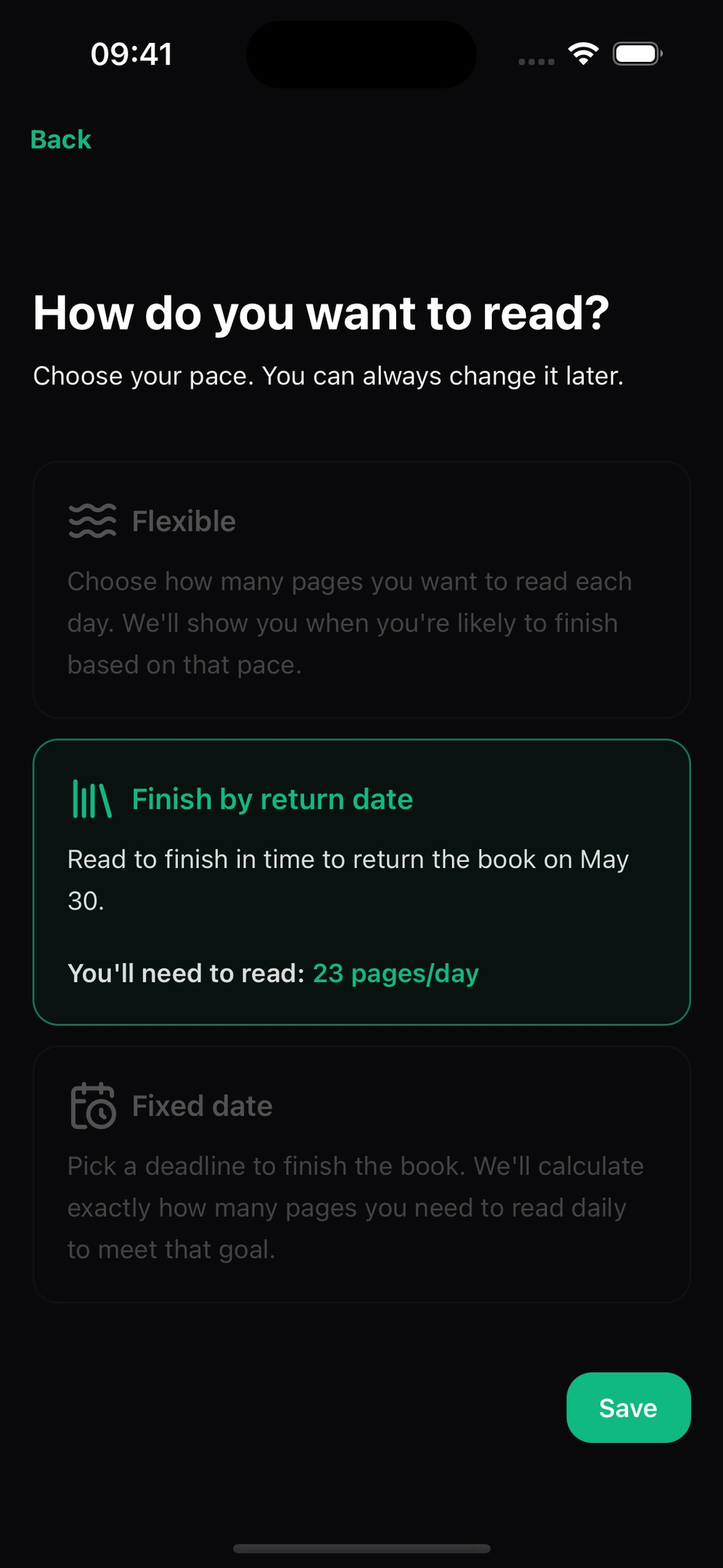
Pick "Finish by return date" and choose the date. Leaf reads it together with the book's remaining pages and gives you a daily target you can actually hit. Miss two days? It recalculates. Read ahead on Sunday? It adjusts down. The number is always honest about where you are.
Add the book, Read your pages, Hand it back
Set ownership to "Borrowed".
Scan the barcode or search the title. Set the book's ownership to Borrowed, next to Owned and Not owned. Enter the date your library wants the book back.
Five seconds, every evening.
Open Leaf, tap the book, log where you stopped. The math updates itself. Tomorrow's target is right there waiting for you.
Return it finished.
Leaf reminds you three days before the due date, so there is no frantic chapter-skim on the bus to the library. When you hand it back, mark it returned in one tap, finished or not. Just the small satisfaction of a deadline kept.
More about library borrowing in Leaf
You fell behind? Leaf doesn't shame, it recalculates.
A bad week happens. Two missed days adjust the remaining target upward, quietly. A weekend of reading adjusts it back down. The book stays finishable, no matter what.
Three books borrowed at once? They all fit.
The novel, the cookbook the librarian recommended, the picture book your child is rushing through. Each has its own return date. Each has its own pace. A colour-coded badge shows how soon each one is due, and you can sort your library by due date to see what goes back first.
Public, school, university, or a friend's shelf.
Leaf doesn't plug into library systems. It doesn't need a card number. You just add the book and the date. Everything else stays on your phone.
Free for library readers
Add a borrowed book, set the return date, and Leaf handles the rest.
Frequently asked questions
Can I track books I borrowed from my public library?
Yes. Add the book, set its ownership to Borrowed with the return date, and choose "Finish by return date". Leaf calculates the daily pages you need to finish on time and reminds you three days before the book is due.
What if my library renews the loan?
Open the book, edit the return date, and the daily target updates instantly. If you renew for two more weeks while halfway through, the number usually drops a lot.
Can I track owned books and borrowed books in the same app?
Yes. They sit in the same library, and each book records whether you own it, borrowed it, or do not own it yet. Borrowed books use the return date. Personal books can use a flexible page goal or a date of your own choosing.
Is the library borrower feature really free?
Yes, borrowed book tracking is free. Leaf Pro or a Challenge Pass adds optional cloud sync across your devices, but you don't need either to track borrowed books.